A Private Server for Local Apps and AI, Arrives Configured
Local AI promises something simple: powerful models and apps running on equipment you control, with no monthly subscriptions and no data leaving your network. For most hobbyists, getting there hasn't been simple. Docker containers, model quantization, driver conflicts, and terminal commands usually stand between curiosity and something that actually works.
A home server used to mean case modding and weekends spent troubleshooting power limits. Today it means pairing purpose-built hardware with software that does the heavy lifting. Here's how to move from cloud rentals to local compute.
Why Local AI Makes Sense
You own it instead of renting it
Cloud AI tools work until your budget doesn't. Stack a few premium subscriptions and you're paying every month for something you'll never own.
Companion Core is a one-time purchase. On Kickstarter, Core 64 is $3,200 and Core 128 is $5,400. These prices won't return once the campaign ends; the Core will cost more on our website. After that, your main ongoing cost is electricity.
If you rely on AI daily, that math turns in your favor fast. A cheaper $1,500–$3,500 server can run Companion Hub too. But for the best experience with Companion Memory, you'll want the memory bandwidth, storage, and RAM the Core is built around.
Privacy is an engineering choice, not a settings page
Local-first is a design constraint, not a marketing line. On the Core, models run on the device, and your prompts, files, and memory graph stay on your hardware by default. You aren't hunting for privacy toggles in someone else's dashboard; everything runs behind your own firewall. Remote access and public app URLs are opt-in, and you decide what leaves your network.
What You Need
The software: Companion Hub
You don't need to write orchestration scripts. Companion Hub is free, cross-platform software that turns a Mac, Windows, or Linux machine into a private AI server. It handles container management, local model routing, and agent coordination without the command line.
Hub includes an app store where developers publish one-click installs of local-first alternatives to popular cloud tools. Every app runs in its own container with dependency isolation and automatic updates. If an app breaks, it fails inside its container and the rest of your system keeps running.
The hardware: Companion Core
Hub runs on equipment you already own. Push past 13B-parameter models on typical hardware, though, and you'll hit memory ceilings or thermal throttling. That's where a purpose-built machine pays off.
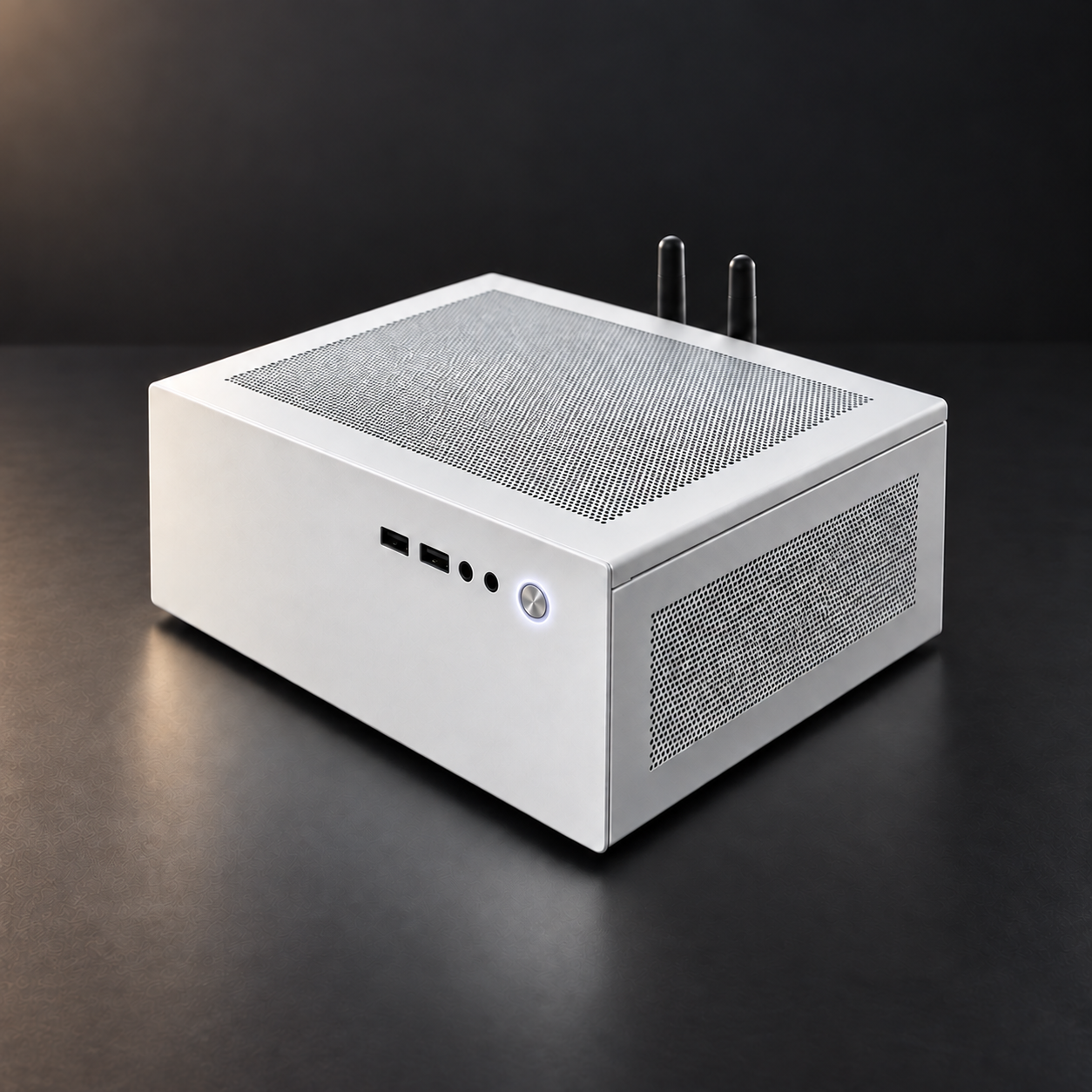
Core is built on AMD's Ryzen AI Max+ 395 with a Radeon 8060S GPU, sharing up to 128GB of LPDDR5x unified memory. There's no PCIe bottleneck between CPU and GPU and no discrete-GPU driver to fight. It's tuned for sustained inference, stays quiet with a single Noctua fan, and the 128GB model runs 70B-class models on-device with llama.cpp. When you need more, 5GbE and USB4 let you link multiple units over RPC for larger or parallel workloads.
See Companion Core on Kickstarter →
Your First Setup
From box to running apps takes minutes:
- Start up. Boot a Core, which ships with Companion OS preinstalled, or install Hub on your own machine.
- Pair your hardware. Create a free Hub account at hub.ci.computer. It generates a six-character, single-use code that links your machine securely.
- Run the setup wizard. Choose a default local model (Ollama comes ready to go), set up owner-only private access through Tailscale, and optionally turn on Cloudflare routing for HTTPS app addresses you can reach away from home.
- Install apps. Deploy apps like Spellbook, Earth, Photogram, or Just In Case with one click. Each one pulls its own dependencies and shows up in your Hub dashboard.
No YAML unless you want it. The wizard handles networking, model downloads, and resource allocation so you can focus on what you're building.
Is a Home AI Server Right for You?
If you only do light prompt testing, cloud APIs may cover you. But if you chain agents, feed in personal context, run vision or multimodal models daily, experiment with agent harnesses, or keep hitting rate limits, local compute pays off quickly. You get predictable performance, full control of your data, and no vendor lock-in.
Take the First Step
You don't need to over-plan this. Hub is free and runs on what you already have, so start there and see how local-first AI works on your own machine.
Back Companion Core on Kickstarter
When you're ready for hardware built for the job, the Kickstarter campaign is the cheapest the Core will ever be.
- Core 64 — $3,200: local AI, storage, and every Hub app on one quiet box
- Core 128 — $5,400: 128GB of unified memory for 70B-class models on-device
Kickstarter pricing ends with the campaign. After that, the Core sells at a higher price on our website.